 Hakillo
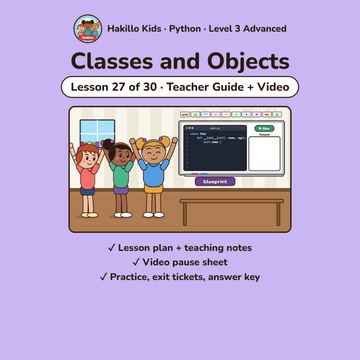
Classes and Objects | Python Coding Lesson 27 for Kids | Video + Guide
Classes and Objects | Grade Level 3 Math and English (ELA) Lesson | Teacher Guide, Student Practice Page, Answer Key & Animated Video | Common Core (CCSS) 3A-AP-17; 2-AP-11 | Hakillo Kids
$4.99
Until then you can find it in our TpT store.
- Lesson
- Lesson 27 (PY-27)
- Type
- Teacher guide (one lesson)
- Grade
- Level 3
- Subject
- Python
- Standards
- CSTA (computer science)
- Pages
- 11
- Answer key
- Included
- Format
About this resource
A ready-to-teach Python lesson: Students define a class as a blueprint, create objects with __init__ and self, read and change attributes, and see that each object keeps its own data. Built around an animated video with Mia, Sam & Ivy that stops at "Your turn!" 6 times.
What's included (10 pages):
- Lesson plan: goal, objectives, key words, an unplugged warm-up, a 45-minute lesson flow, video QR code and CSTA standards
- Teaching notes: key ideas with code and real output, the "spot the bug" moment, a teaching tip and an extension
- Video pause sheet for the 6 "Your turn!" stops in the video
- Practice: predict the output, fix the bug, think-about-it questions
- Write your own programs + a challenge
- Exit tickets
- Answer key (every output produced by running the code in Python 3)
Level 3 (Advanced), lesson 27 of 30. Students need any Python 3 (IDLE or a free online editor). Aligned with CSTA K-12 Computer Science Standards.
Standards
3A-AP-17; 2-AP-11
CSTA (computer science).
How we make our resources: Hakillo Kids writes each lesson, guide and test with the help of AI tools. Every math answer is computed and checked by code, reading questions are checked against their passages, and standards tags come from each state's official documents.
More like this
 Text and Strings | Python Coding Lesson 4 for Kids | Video + GuideTeacher guide (one lesson)Python (any age)CSTA (computer science)$4.99 · 8 pages
 Asking with input | Python Coding Lesson 5 for Kids | Video + GuideTeacher guide (one lesson)Python (any age)CSTA (computer science)$4.99 · 9 pages
 Making Decisions with if | Python Coding Lesson 6 for Kids | Video + GuideTeacher guide (one lesson)Python (any age)CSTA (computer science)$4.99 · 10 pages
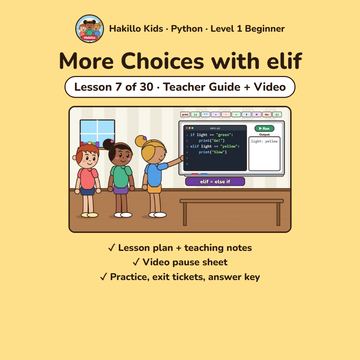 More Choices with elif | Python Coding Lesson 7 for Kids | Video + GuideTeacher guide (one lesson)Python (any age)CSTA (computer science)$4.99 · 10 pages